
Searching Cases by Name
Loving County posts no local trial-court search form of its own. Instead, the clerk site points to re:SearchTX. That is the statewide public service for eligible integrated cases. It covers filings, text, and hearings. You register and sign in as a public user. What you can see depends on the local court's integration, the case category, the document type, and the security rules.
- Open re:SearchTX and sign in or create a public account.
- Choose Cases for a case-level name query, then open Advanced when filters are needed.
- Enter a last name and first name where available. The official guide permits an asterisk wildcard for party, attorney, and judge first or last names.
- Limit the location and case category, review the filed-date range, and sort results by filed date or case number.
- Open the case description, verify that the court and case number match, and contact the Loving County clerk if coverage or identity remains unclear.
The fields in the official guide change with the search mode, and none of them guarantees a Loving County match.
| Field Label | Type | Required | Notes |
|---|---|---|---|
| Global search | Text | No | Broad terms can produce many results. |
| Search By | Selector | No | Changes with Cases, Filings, Text, or Hearings. |
| Location | Filter | No | Use Loving County when available, then verify the court. |
| Case category | Filter | No | Narrows results but does not expand restricted access. |
| Filed date | Date/sort | No | Sort newest, oldest, or by case number. |
Loving County Search View Choices
The official re:SearchTX quick guide lays out four paths: Cases, Filings, Text, and Hearings. Cases works best for a party name or a known case number. Filings tracks items that have been filed, and Text digs into eligible indexed content. Hearings covers settings on the calendar. Each path answers a different question. Switching views can surface a hearing lead. Even so, it may not deliver every document image.
- Case Details
- The case-level screen opened from a matching case description.
- Hearing details
- The setting information opened from a hearing type.
- Security matrix
- The access rules that determine what a public user or case participant may see.
- Integrated court
- A court whose local case-management data connects to the statewide service.
Registering as a public user does not unlock everything. An attorney of record may get broader document access in that attorney's own case. Public users often see metadata but not every image.
Searching by Case Number
A case number beats a name most of the time. Loving County's posted docket samples show a distinct CASE NO. field. But no single safe countywide pattern exists across district, County Court, and Justice Court records. Copy the exact value printed on the citation, pleading, order, bond document, or notice. Never guess at a missing year, court, or type code. Enter the full number first. If the portal allows a partial search, drop punctuation only when its instructions say to. Then confirm the court, county, case style, and filed date that come back. For an appeal, keep both the trial number and the new appellate number. The official Texas appellate case search takes a case number or partial number. It adds trial-court number and county filters. A number may work there. It may not match the number used in the Loving County trial file.
Loving County Missing Search Results
A blank online result calls for a call to the clerk. Texas Judicial Branch materials are clear. The state runs no single trial-court portal covering every local case. A 2024 data report describes ongoing re:SearchTX integration work and a November 1, 2025 direction for district and county clerks. The policy covers clerks going forward. It does not mean all Loving County history is online today. Call the Loving County & District Clerk at 432-309-9500 extension 6. Ask for district or County Court records. Give the court and the full case number if you have it. Add the case type and an approximate filing or hearing date. Name the exact filing or order you need. For Justice Court, call 432-286-9544 or use a published JP clerk email. Hold back sensitive personal data until staff directs you to a proper channel.
No result is not a no-case finding. It may reflect integration, indexing, spelling, date filters, sealing, redaction, confidentiality, or the wrong court.
What a Case Search Returns
A result can identify a case without handing you the whole file. re:SearchTX lets you open Case Details. Eligible documents may sit behind a purchase cart. The official access memo sets a public document price. The rate is ten cents per page. A one-dollar minimum applies. Check the current terms in the service before you buy. A clerk-certified copy is a different product from an online view.
| Case Number | The court’s identifier; preserve it exactly and note any separate appellate number. |
|---|---|
| Style / Parties | The case caption, used with the court and number to distinguish a likely match. |
| Case Type | The category, such as criminal, civil, probate, juvenile, or limited civil work. |
| Filed Date | The recorded filing date, not necessarily the next hearing date. |
| Status | A portal label that needs the docket or clerk record for context. |
| Hearings | Setting details when available; verify any date and venue with the court. |
A local posted docket can show calendar-specific fields such as action, offense, attorney or bondsman, CPL, DEF, BND, and bond type. Even so, that snapshot leaves out pleadings, orders, sealed documents, and the final disposition.
Loving County Land Portal Warning
The county-linked LovingTXRecorder portal holds recorded documents, property indexes, and images. Its January 1, 1854 starting date describes the scope of recording. It says nothing more. It does not promise court-case history. It is not the Loving County case search for district, county, or JP dockets. A deed may connect to a lawsuit. It is still a land record. Open the recording portal source only when you want a recorded instrument.
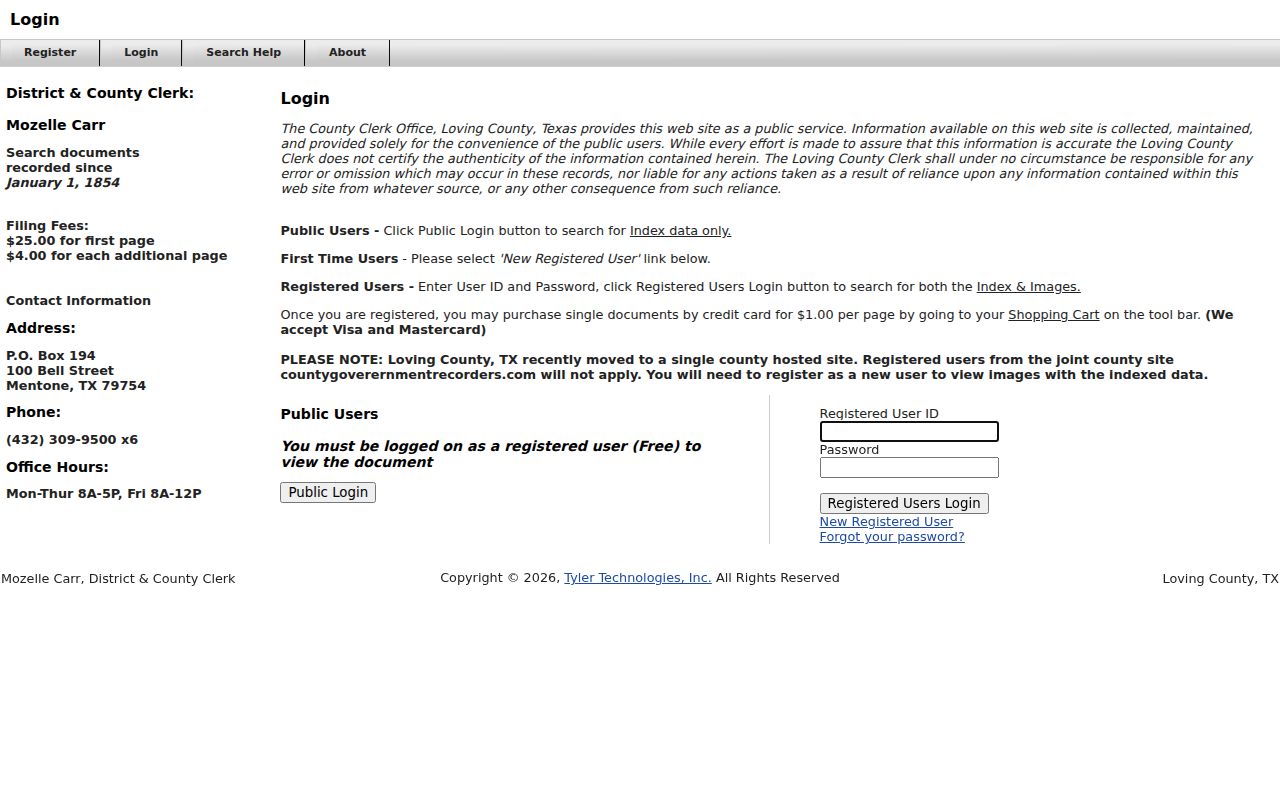
A deed, lien, or plat may relate to a dispute. It remains separate from the pleadings and judgment in a civil case. Start with the record type, then pick the office that keeps it.
Statewide vs County Case Search
In Loving County, a "county search" really means a few local channels, not one query box. Local docket PDFs give calendar snapshots. The clerk supplies the authoritative file and copies. Meanwhile, re:SearchTX adds a broad statewide layer for integrated public records. Move through them in sequence whenever one source comes up short.
| Statewide re:SearchTX | Loving County Channels |
|---|---|
| Searches eligible integrated Texas records. | Separates district, County Court, and Justice Court custody. |
| Offers Cases, Filings, Text, and Hearings views. | Offers posted docket PDFs, phone, mail, contact form, and counter access. |
| May show metadata or purchasable public documents. | Can provide a clerk response and plain or certified copy path. |
| Best for a broad lead or cross-county search. | Best for confirming one known Loving County case or record. |
The clerk contact page lists PO Box 194, 100 Bell Avenue, Mentone, Texas 79754, phone 432-309-9500 extension 6, and fax 432-789-2194. Name the court and the exact item you want in any mail request. Never mail originals or cash unless instructed.
Loving County Appellate Case Search
An appeal sends a Loving County case onto a second docket stream. When the Eighth Court of Appeals in El Paso holds geographic jurisdiction, that court takes the Loving County appeal. Its statewide search offers several modes. You can look up by case number, filed dates, style, attorney or bar number, or the trial-court case number, county, and court, with civil and criminal as separate choices.
Pick Loving as the trial-court county. Then double-check the originating court and case number. Remember what an appeal does and does not tell you: filing one proves only that someone challenged the result, not that the result changed, and the appellate file may lack trial exhibits or sealed items. Civil and criminal appeals also climb different ladders toward Texas high courts.
The Eighth Court official site posts current contact and filing information. One caution. Even a good statewide appellate interface cannot replace a local trial record that never existed online.
Access and Restricted Cases
No search box can unlock what the law closes. Texas Rule of Civil Procedure 76a governs sealed court records. Rule 21c handles sensitive-data redaction in filings. Family Code Chapter 58 restricts juvenile records. Code of Criminal Procedure Chapter 55A governs expunction. So a docket lookup may return nothing, hide an image, or show only limited metadata.
Administrative judicial records and adjudicative case files travel different request paths, too. The Judicial Branch Open Records Policy explains Rule 12 access for qualifying judicial records. It also points case-record requests to the court clerk or a court-specific process. The Texas Public Information Act simply does not treat adjudicative case records like executive agency records.
If a request gets declined, ask why. The reason may be sealing, confidentiality, redaction, system downtime, wrong custody, or a copy fee. Never try to work around a restriction.
Loving County Search Audit Trail
Keep a trail for every result you save. Note the source URL, the date you accessed it, the query mode, any filters, the exact case number, and the court. Why bother? The local clerk website has changed before. Older county pages are still live, and statewide integration keeps moving. A saved copy of the page can preserve public metadata. Leave out private addresses, birth dates, driver-license data, and names drawn from sensitive docket samples.
Need something official? Request the exact filing, order, judgment, or docket entry from the correct clerk. Say whether you want a plain or certified copy. Ask the price first. The April 1, 2025 clerk fee sheet lists civil, criminal, and other case fees apart from its recording schedule. However easy the search feels, the clerk still holds the documents.